

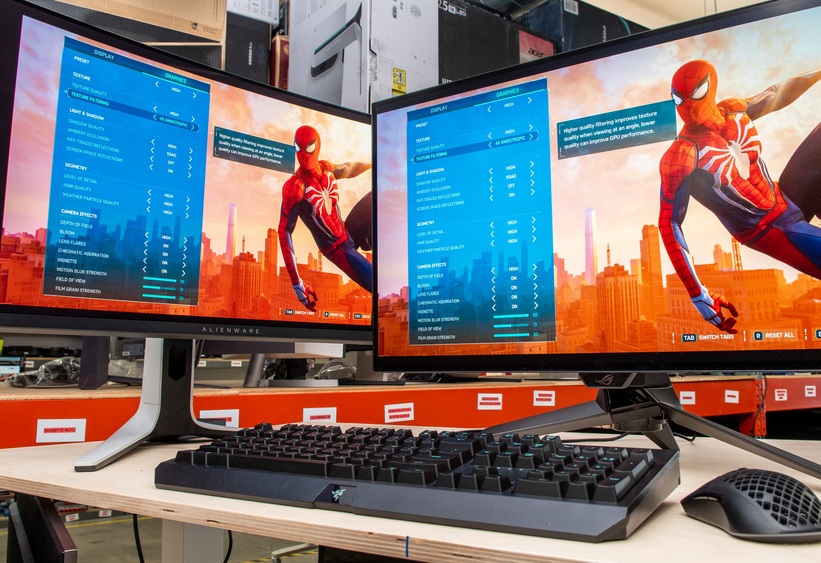
Have you ever traveled with your PS5 or Xbox Series X, only to discover your destination has a subpar TV with an interface that takes forever to respond? Most of us have experienced something along these lines in the past, and it’s extremely irritating!
Fortunately, portable gaming monitors are the perfect solution to this problem. They’re fashionable and lightweight screens that allow you to game on the go. But it’s important to note, not all portable monitors are made the same. There are specific needs that console gamers have that aren’t always satisfied by monitors designed to cater to PC gamers.
This guide will provide you with all the necessary information to understand what specifications really count when purchasing a PS5 or Xbox portable gaming monitor and will help you to decide which monitor to buy based on your budget.
What to Look for in a Portable Gaming Monitor
Before diving into specific products, it’s worth understanding what separates a great console-oriented portable monitor from a mediocre one. Marketing materials can be misleading, so here’s what to actually focus on.
Screen Size and Portability
The ideal display for portable console gaming is between 15 and 18 inches. Anything smaller than 15 inches is just too small given the level of immersion the PS5 and Xbox Series X and Xbox Series X bring to gaming. Anything larger than 18 inches loses the portability of the display since it becomes much more difficult to transport, and increasingly difficult to power the display on the go.
The weight of the display is as important as the size and dimensions. If you are planning to travel frequently with the display, it should weigh less than 2.5 lbs (about 1.1 kg). Displays with thin bezels are much easier to transport as the overall dimensions of the display are reduced.
Resolution
For display sizes between 15 and 18 inches, 1080p (Full HD) is sufficient. It is not as bad as you think since sharper screens are actually able to maintain high frame rates while display size is small. 1080p is actually a much easier resolution to render at high frame rates.
If you want to prioritize frame rates and maintain 1080p (Full HD) resolution, then you might consider 1440p (2K) because it is actually a step up from 1080p without the hefty resources of 4K. The PS5 and Xbox Series X/S actually support 1440p natively.
4K really isn’t feasible for portable gaming displays. The difference between 1440p and 4K is virtually indistinguishable at 15 to 17 inches. It is really only a marketing tactic. However, some of the high end portable gaming displays do actually support the PS5 and Xbox Series X via HDMI 2.1 and 4K resolution.
Refresh Rate
PS5 and Xbox Series X both support 120Hz output, so you can see the value portable monitors offer in this area. We can think of 120Hz as a smoother experience in more engaging and snappier gameplay. It feels a lot more premium to play games at this output.
60 Hz is totally fine for lower-paced, more-likely-to-be story driven games. Lots of the more budget portable monitors also perform quite well at this Hz. But for action-packed games, the bump to 120Hz is definitely worth it.
Panel Type
For gaming, IPS panel monitors are recommended portable monitors. They come with the added value of being good with off-angle viewing and get close to accurate coloring and brightness.
QLED are IPS panels that have a quantum dot layer that take color, brightness and overall IPS panels to the next level. QLED panels are great for console gaming because they provide rich color without the price of OLED and the burn-in.
For gaming in a cinematic experience, no other panel captures the quality of an OLED panel. The downside is the price and the concern of burn-in for static display.
VA panels are portable monitors that offer good contrast, but for the rest of the specs, don’t cut it. They aren’t very popular portable monitors for this reason.
Connectivity: HDMI Versions and USB-C
Here’s the section console gamers will want to pay close attention to. If you’re hitting 4K/120Hz or 1440p/120Hz with your PS5 or Xbox Series X, HDMI 2.1 is a must. Because of HDMI 2.0’s limitations, many portable monitors will only hit 4K/60Hz or 1080p/120Hz.
For those on the Xbox Series S, HDMI 2.0 will be adequate, since that console tops out at 1440p/120Hz.
USB-C connectivity is becoming more popular and for good reason. A USB-C cable can transmit a video signal and even power a display all in one cable. With this addition, many portable monitors have at least one USB-C port.
As a side note, many portable monitors feature mini-HDMI instead of standard HDMI. Be sure to have a mini-HDMI adapter or included cable before heading out.
Power Options
How a monitor draws power significantly affects travel flexibility:
- USB-C bus-powered monitors draw power directly from the connected device or a power bank. There is no wall adapter required. Ideal for truly portable setups.
- Wall-powered monitors need an outlet, but often support higher brightness and refresh rates as a result.
- Battery-integrated monitors (like the ASUS ROG XG17 series) include their own internal battery, making them completely self-contained.
HDR Support
HDR on portable monitors often falls flat. Many monitors will feature « HDR compatible » displays, but with peak brightness under 400 nits, they won’t show a meaningful HDR image. True HDR will require a peak brightness of 600 nits or more and backlight with local dimming.
During console gaming, having a portable gaming monitor with HDR is not essential. Instead, focus on connectivity options and refresh rate.
Built-in Speakers, Headphone Jack, and Accessories
Portable gaming monitors usually have small speakers. While sufficient for casual gaming and plays done on a monitor during travels, speakers built into a portable gaming monitor are not a replacement for proper speakers. A portable gaming monitor with a built-in 3.5mm headphone jack is essential for gamers using wired headphones.
The large cover that protects the screen when it is folded also serves as the stand. This is an effective solution for travel.
Top Picks
Best Overall: ASUS ROG Strix XG17AHPE
Specs: 17.3-inch IPS | 1080p | 240Hz | 3ms response time | USB-C + micro-HDMI | 7800mAh battery | 2.3 lbs
Considered the best portable gaming monitor on the market, the ASUS ROG Strix XG17AHPE was made with console gamers in mind. Connect the monitor with a micro-HDMI and get an output from both the PS5 and Xbox Series SX/S at 1080p/120Hz, with performance in fast-paced gaming as well as response time.
A feature that stands out is the monitor’s built-in 7800mAh battery. A portable gaming monitor with a built-in battery that lasts over 3.5 hours at 240Hz and longer at the console-limited 120Hz, coupled with the included ROG Smart Case that doubles as an adjustable stand, makes it truly portable.
At 240Hz, the refresh rate is higher than the consoles can currently output, but it also means the monitor is efficient enough to handle better refresh rates in the future. On top of that, the refresh rate allows for great motion smoothness at 120Hz. The monitor has very good color accuracy at 100% sRGB, with an IPS panel that provides wider than average viewing angles. At 0.4 inches thick and 2.3 lbs, it is very portable and can easily fit in any laptop backpack.
The biggest drawbacks are the price ($350 to $400), and no HDMI 2.1 means the PS5 is limited to 1080p/120Hz, with the console not able to output 4K. However, for most, this is a reasonable exchange for portable gaming.
Best for: Console gamers with an extra budget, and that want a premium, battery-monitor that performs excellent in motion.
Best for 2K Gaming: UPERFECT UGame K118
Specs: 18-inch IPS | 2560×1600 (QHD) | 144Hz | 3ms response time | USB-C + mini-HDMI | FreeSync | 100% DCI-P3 | 2.29 lbs | ~$280 to $370
The UPERFECT UGame K118 is one of the most well-rounded portable gaming monitor options available and a particular standout for PS5 and Xbox owners who want real 2K resolution without jumping to the cost of 4K. Its 18-inch IPS panel at 2560×1600 delivers crisp, vivid images, with 100% DCI-P3 color coverage that makes games look genuinely impressive.
Reviewers who tested the device with the PS5, Xbox Series X, and PC gave positive feedback. The combination of a 144Hz refresh rate and 3ms response time processed fast gameplay with ease. The build quality is quite impressive, combining a metal chassis, thin bezels, and a leather-style foldable case that works as a stand.
One feature worth noting is the 16:10 display instead of the unavoidable 16:9 display, which causes smaller black bars with movie content. This is an inconvenience more than a problem when gaming, but is worth accounting for. The speakers leave a little to be desired, but a headphone jack is provided.
With frequent sales going from $280 to $300, the K118 is a steal. Even with the full price of $370, it’s fairly priced for its size with portable competitors in mind.
Best for: PS5 and Xbox gamers who want genuine 2K resolution and a premium-feeling portable display, especially those who also use it as a laptop secondary screen.
Best 4K Portable: UPERFECT UColor Apex 19
Specs: 19-inch QLED | 4K UHD (3840×2160) | 144Hz | HDMI 2.1 | VRR | FreeSync | 100% DCI-P3 | USB-C + mini-HDMI | ~$429 to $540
The UPERFECT portable monitor UColor Apex 19 is one of very few portable monitors that can genuinely unlock the PS5 and Xbox Series X’s full display capabilities. With HDMI 2.1, this monitor not only receives a 4K/120Hz signal on either console, but it also offers VRR (Variable Refresh Rate) for a smooth gaming experience that most portable gaming monitors on the market do not offer.
With QLED technology, this monitor really makes a difference. The color and vibrancy and picture quality are greatly enhanced over boring and dull standard IPS panels, and the refresh rate of 144Hz provides a much smoother experience. Reviewers have tested this monitor with the PS5 and Xbox Series X and confirmed that this offers the complete next-gen portable experience with 120fps gameplay and VRR.
With a standard 16:9 aspect ratio, this monitor offers no black bars on either console. This monitor also comes with VESA mount screws and optional arms, so you can easily mount this on a desk.
The sturdy built-in kickstand allows for a few different positions and angles, even vertical. The speakers are decent for a portable monitor. The one-time setup for VRR is done in the menu of this monitor.
At $429 (on sale), this is a premium purchase, but it is the only true 4K/120Hz portable display in this roundup, so it is the only choice for dedicated PS5 owners.
Best for: PS5 Pro and Xbox Series X owners who want the absolute best image quality a portable monitor can deliver, with full HDMI 2.1 support.
Best OLED: Sony INZONE M10S
Specs: 27-inch OLED | 1440p | 240Hz | HDMI 2.1 | VRR | ~$500 to $600
While the Sony INZONE M10S is not a lightweight portable display, its 1440p OLED panel and HDMI 2.1 makes it worthy of a mention for console gamers who need a secondary display that is not portable all of the time and offers an amazing visual experience.
The PS5 is able to deliver its full potential of graphics with 1440p at 120Hz with VRR, and the M10S, HDMI 2.1, and VRR makes this possible. The M10S is more suited for use in your college dorm, hotel stays with a travel laptop, or as a secondary display you move between rooms than as a display you carry with you on a daily basis, but if you can deal with the larger size, the M10S offers amazing value.
Best for: Gamers who want the best possible image quality and full PS5 HDMI 2.1 compatibility, and can accommodate a slightly larger form factor.
Best Budget: NexiGo NG17FGQ
Specs: 17.3-inch IPS | 1080p | 144Hz | USB-C + mini-HDMI | 1.65 lbs | ~$119 to $139
The NexiGo NG17FGQ is an outstanding budget-friendly portable gaming monitor that delivers impressive performance for its price. Typically ranging from $119 to $139, it offers a smooth 144Hz refresh rate, a vibrant IPS panel, and crisp 1080p resolution in a lightweight design weighing just 1.65 pounds.
Console setup is simple. Connect via mini-HDMI for PS5 or Xbox, set your console to 1080p/120Hz, and you’re ready to play. The 144Hz panel ensures fluid motion, while colors are vivid and accurate enough for immersive gaming. Brightness is suitable for indoor use, and the foldable smart cover doubles as a sturdy stand.
At this price point, compromises exist: HDR support is basic, the built-in speakers are modest, and the stand has limited adjustability. However, for a portable monitor that you can easily pack for trips or casual gaming sessions, the NG17FGQ is a compelling pick.
Best for: Budget-conscious gamers who want reliable 1080p/120Hz console performance without spending on premium features.
Best Ultra-Portable: UGame K7
Specs: 15.6-inch IPS | 1080p | 144Hz | USB-C + HDMI | ~1.3 lbs | ~$90 to $120
When minimal weight and maximum portability are the priority, the UGame K7 earns its place. At around 1.3 pounds, it’s among the lightest console-compatible gaming monitors available and slim enough to slide into even a slim laptop bag without adding noticeable bulk.
Performance is solid for its weight class: 1080p at 144Hz with good color accuracy and a matte finish that handles glare well. Console setup is seamless via HDMI or USB-C. The speakers are modest and a headphone jack is included, but the audio quality is a secondary concern for a monitor this portable and affordable.
If you travel frequently and the first question is whether the monitor fits without stress, the K7 is the answer.
Best for: Frequent travelers for whom weight and pack size are the deciding factors.
PS5 vs Xbox Compatibility: What You Need to Know
Getting the right monitor for your specific console isn’t just about resolution and refresh rate. It’s about understanding what your hardware can actually output and making sure the monitor can receive it.
PlayStation 5
The PS5 supports the following output modes via HDMI:
- 4K/120Hz — requires HDMI 2.1
- 1440p/120Hz — requires HDMI 2.1
- 1080p/120Hz — works over HDMI 2.0 and most portable monitors
- 4K/60Hz — works over HDMI 2.0
The most useful option with portable monitors will be 1080p/120Hz, which most monitors with HDMI will have no problem supporting. If you want to do 1440p/120 Hz or 4K/120Hz from the PS5, you’ll need an HDMI 2.1 monitor. The UPERFECT UColor Apex 19 is a good option in this case.
The PS5 also has support for VRR (Variable Refresh Rate) via HDMI 2.1 and can change frame rate on the fly to help reduce screen tears and lag.
Xbox Series X
The Xbox Series X has essentially identical capabilities to the PS5 in terms of display output — 4K/120Hz over HDMI 2.1, with VRR support. The same considerations apply: for most portable monitors, 1080p/120Hz over HDMI 2.0 is the practical sweet spot unless you’re going for an HDMI 2.1 option.
Xbox Series S
The Xbox Series S is the important exception. It maxes out at 1440p/120Hz, which sits comfortably within HDMI 2.0’s bandwidth. You don’t need HDMI 2.1 for the Series S at all, which opens up a wider range of portable monitor options including the UPERFECT UGame K118 at lower price points.
Auto Low Latency Mode (ALLM)
Both PS5 and Xbox consoles support ALLM, which automatically switches a compatible display into its lowest-latency mode when gaming. Not all portable monitors support ALLM, but those that do offer a smoother, no-configuration-needed experience.
A Practical Note on Cables
Most portable monitors use mini-HDMI rather than standard HDMI. The included cable in the box handles this for the initial connection. If you lose or forget the cable, mini-HDMI to standard HDMI cables are widely available and inexpensive so you can keep a spare in your travel kit.
Setup Tips for Travel Use
Getting a portable console gaming setup working smoothly takes a bit of preparation. Here’s what makes the difference.
Build a Travel Cable Kit
The essentials for a no-surprises portable setup:
- Mini-HDMI to HDMI cable (check your monitor’s port type first)
- USB-C cable for power delivery (if your monitor supports it)
- The console’s own power cable and adapter
- A compact power strip or travel adapter for international trips
Keeping these in a dedicated pouch inside your bag means you’ll never find yourself in a hotel room hunting for the right cable.
Power Options on the Road
For monitors without a built-in battery, USB-C power delivery from a power bank is the most flexible option. A 20,000mAh power bank can run a portable monitor for several hours. Check the monitor’s wattage requirement — most draw 10 to 18W, well within what modern power banks deliver.
If you have a battery-equipped monitor like the ASUS ROG XG17, charge it the night before travel and you have a completely self-contained unit.
Adjusting Console Settings
When connecting a PS5 or Xbox to a portable monitor for the first time:
For PS5: Go to Settings > Screen and Video > Video Output > Resolution. Set to 1080p (or 1440p/4K if your monitor supports it via HDMI 2.1). Under Refresh Rate, select Automatic. If you’re using a monitor with VRR support like the UPERFECT UColor Apex, also enable VRR under Settings > Screen and Video > VRR.
For Xbox: Go to Settings > General > TV and Display Options. Set the resolution to match your monitor and enable 120Hz under Refresh Rate if available. For VRR monitors, enable it under Video Fidelity and Overscan.
If you’re not getting 120Hz, check that your HDMI cable supports 2.0 bandwidth and that 120Hz is explicitly enabled in the console settings.
The Hotel TV Question
Hotel TVs have improved, but they’re often high-latency, locked to 60Hz, and have HDMI ports buried in inconvenient places. If you’re traveling for more than a night and plan to game seriously, a portable monitor is nearly always the better experience. The latency alone is worth the extra bag space.
Comparison Table
| Monitor | Size | Resolution | Refresh Rate | Panel | HDMI 2.1 | Battery | Price Range |
| ASUS ROG XG17AHPE | 17.3″ | 1080p | 240Hz | IPS | No | Yes (7800mAh) | $350 to $400 |
| UPERFECT UColor Apex 19 | 19″ | 4K | 144Hz | QLED | Yes | No | $429 to $540 |
| UPERFECT UGame K118 | 18″ | 1440p | 144Hz | IPS | No | No | $280 to $370 |
| Sony INZONE M10S | 27″ | 1440p | 240Hz | OLED | Yes | No | $500 to $600 |
| NexiGo NG17FGQ | 17.3″ | 1080p | 144Hz | IPS | No | No | $119 – $139 |
| UGame K7 | 15.6″ | 1080p | 144Hz | IPS | No | No | $90 to $120 |
Frequently Asked Questions
Can I use a portable monitor with PS5 without a wall power adapter?
Yes, if the monitor supports USB-C Power Delivery. Many portable monitors can be powered via USB-C from a power bank rated for 18W or more. Battery-integrated monitors like the ASUS ROG XG17 are fully self-contained. Check the specific monitor’s power requirements before assuming USB-C will work as the PS5’s USB-C port alone may not deliver enough consistent wattage for demanding monitors at high refresh rates.
Does the PS5 support 4K on portable monitors?
Yes, if the monitor has HDMI 2.1 — and the UPERFECT UColor Apex 19 is one of the rare portable monitors that includes it. Most portable monitors only have HDMI 2.0, which limits PS5 output to 1080p/120Hz or 4K/60Hz. At 15 to 17 inches, the visual difference between 4K and 1440p is minimal, but at 19 inches with a QLED panel, 4K is noticeable.
What’s the minimum refresh rate for comfortable console gaming?
60Hz is perfectly comfortable for most games, especially single-player and story-driven titles. For competitive multiplayer, shooters, or any game that supports 120fps output, 120Hz makes a noticeable improvement. If your budget allows, a 120Hz+ monitor is the better long-term choice.
Are portable monitors good enough for competitive gaming?
Yes. Top-tier portable monitors like the ASUS ROG XG17AHPE have input lag as low as 3ms at 240Hz, which is competitive with any dedicated desktop gaming monitor. The UPERFECT UGame K118 similarly delivers a 3ms response time at 144Hz. Panel technology and response times in premium portable monitors have largely caught up with desktop alternatives.
Do I need HDMI 2.1 for Xbox Series S?
No. The Xbox Series S outputs at a maximum of 1440p/120Hz, which is within HDMI 2.0’s bandwidth. HDMI 2.1 is only necessary for 4K/120Hz output from a PS5 or Xbox Series X.
Will my portable monitor work with the Nintendo Switch too?
In most cases, yes. Nintendo Switch outputs 1080p when docked via HDMI, and Switch in handheld mode can connect via USB-C to compatible portable monitors. If you own multiple consoles, a portable monitor is genuinely useful across all of them. The UPERFECT UColor Apex even includes a dedicated Switch mode.
Final Verdict
There are many portable monitors on the market for console gamers. Finding the right one for your preferences and gaming style can be the real challenge.
The ASUS ROG Strix XG17AHPE deserves special recognition for offering the best overall monitor with the freedom of no wires and the perfect fast action. This model is perfect for both the PS5 and the new Xbox, displaying at 1080p/120Hz, and works great wherever you are with no need for an outlet.
If you are looking for the best visuals and the full HDMI 2.1 spectrum, you cannot get any better than the UPERFECT UColor Apex 19. It is one of the very few portable monitors to allow the PS5 or Xbox Series X to run at 4K/120Hz with VRR. This is the monitor to bring along for the best next-gen experience.
The UPERFECT UGame K118 offers the perfect combination of price, refresh rate, and resolution, all coming together in a display that is 2K IPS at 144Hz, and that looks and works great for both PS5 and Xbox at 1080p/120Hz.
For the budget monitor, you can’t go wrong with the NexiGo NG17FGQ at about $120, which features 144Hz IPS and great value in a portable display that console gamers will love.
Traveling a lot and need the lightest monitor? The UGame K7 at around 1.3 lbs is the answer.
There are lots of options to take you gaming on the go, but one thing is for sure, a portable gaming monitor redefines what traveling with a console means.
About the Author